Recipe - How to call Apex from scripts
Streamscript can access any callable Apex class directly using the Call command.
| Command Name | Script-Call |
|---|---|
| Return Type | (any) |
| Description | Run an Apex class that implements System.Callable |
| Example | $result = Call 'My.Apex.Class' 'action' {arguments: ...} |
This command enables you to reuse existing Apex in scenarios where the returned data is handled in scripts.
| Examples |
|---|
| NPSP example - call the Recurring Donations Pause API Vlocity example - integrate with VlocityOpenInterface Reports example - fetch fact map values in Flow |
Script-Call dynamically handles data of any type. This allows the use of complex structures including nested lists and nested maps. Here are practical examples showing Callable classes in use with Script-Call:
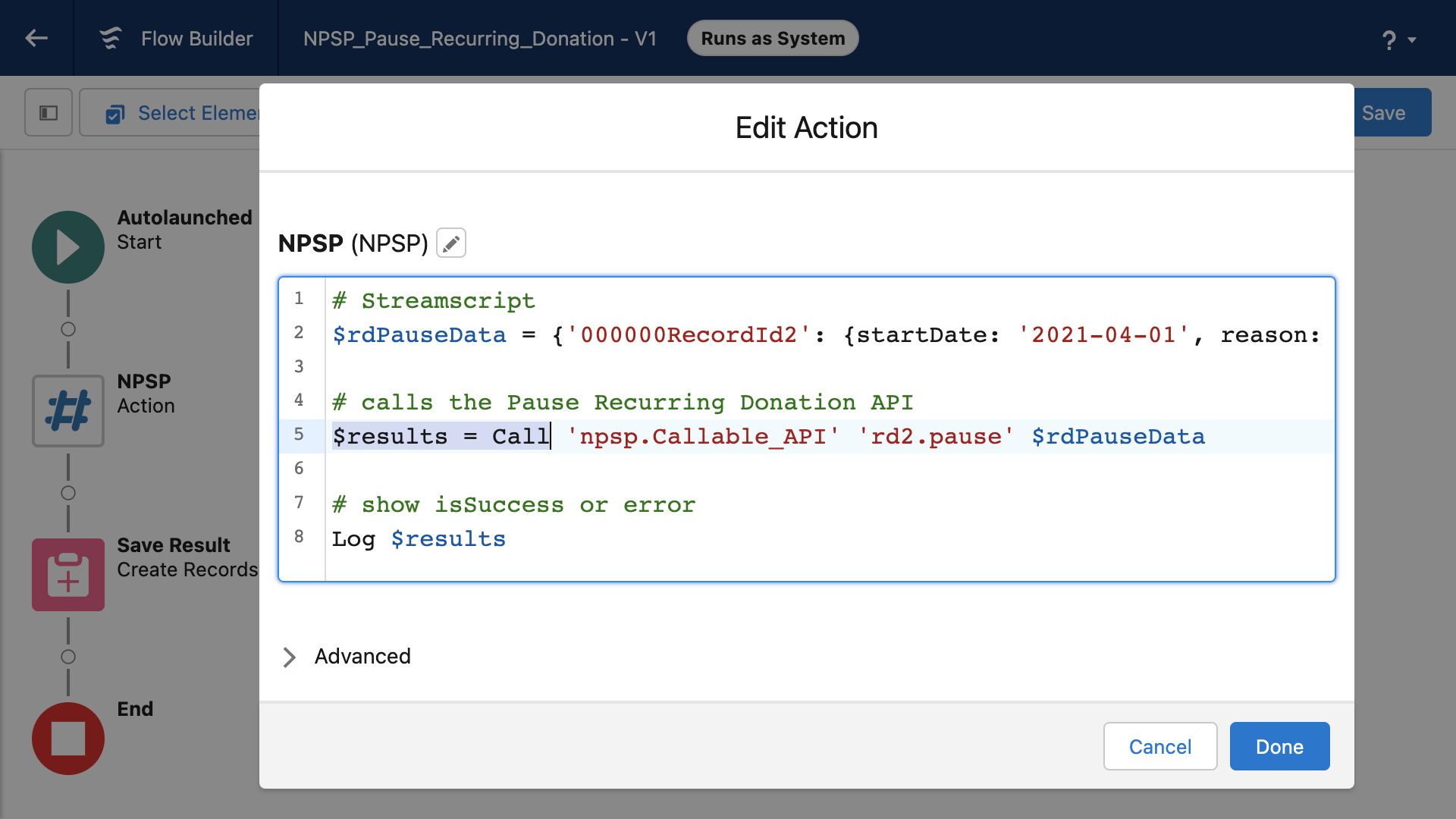
NPSP example - call the Recurring Donations Pause API
This script will pause (or unpause) a list of recurring donations from flow. It uses the Callable API offered in the Salesforce Nonprofit Success Pack. See the NPSP docs for details.
- Class is
npsp.Callable_API - Action is from the NPSP Apex docs
rd2.pause - Arguments represents a map of recurring donation ID to pause date/reason
# Streamscript
$rdPauseData = {
    '000000RecordId1': {unPause: true} # unpause a recurring donation
    '000000RecordId2': {startDate: '2021-04-01', reason: 'Vacation'}
    '000000RecordId3': {startDate: '2021-07-01', reason: 'Job Change'}
    '000000RecordId4': {startDate: '2021-01-01', reason: 'Valid Dates Test'}
}

# calls the Pause API and passes a map with the data
$results = Call 'npsp.Callable_API' 'rd2.pause' $rdPauseData

# show each result
foreach ($result in $results) {Log $result.isSuccess $result.error}
Vlocity example - integrate with VlocityOpenInterface
Streamscript can access the Vlocity Open Interface classes from flows. These are the building blocks implemented in Remote Actions and Integration Procedures. Methods and inputs or outputs are specified the same way, whether the class is custom or standard.
- Class is any Vlocity Open Interface implementor
- Action holds the name of the method, eg getQueuedOrders
- Arguments represents the three maps (by value or by reference as needed)
# Streamscript
$in = {}
$out = {}
$opts = {}
$action = 'methodName'

# invoke any class that implements VlocityOpenInterface
Call 'VlocityOpenInterface2' $action {input: $in, output: $out, options: $opts}

# view results
Log $out
More details in Vlocity documentation.
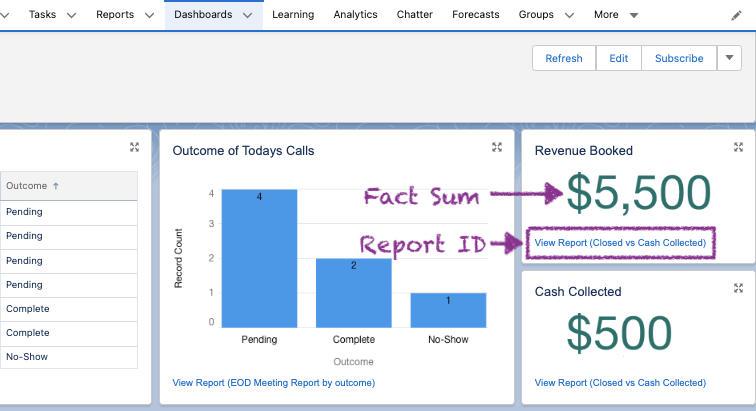
Reports example - fetch fact map values in Flow
In this scenario the manager wants to pick specific cells from groups in a matrix report. This flow uses the Call command to load the report into Streamscript. Then it uses the Sum command to collect the correct cells from the fact map. The parameters are adapted slightly:
- Class is custom Apex - ReportRunner
- Method holds the Report ID beginning with 00O
- Arguments represents the numbered Filters used for the report run
# Streamscript to sum matrix report values
$report = Call 'ReportRunner' '00O000000000123' {'0': 'TODAY'}
$i = $report.reportMetadata.detailColumns.indexOf('Opportunity.Amount')
$revenueBooked = Sum $report.factMap.get('0!T').rows $_.dataCells.get($i).value.amount
Log `Revenue Booked: $revenueBooked`
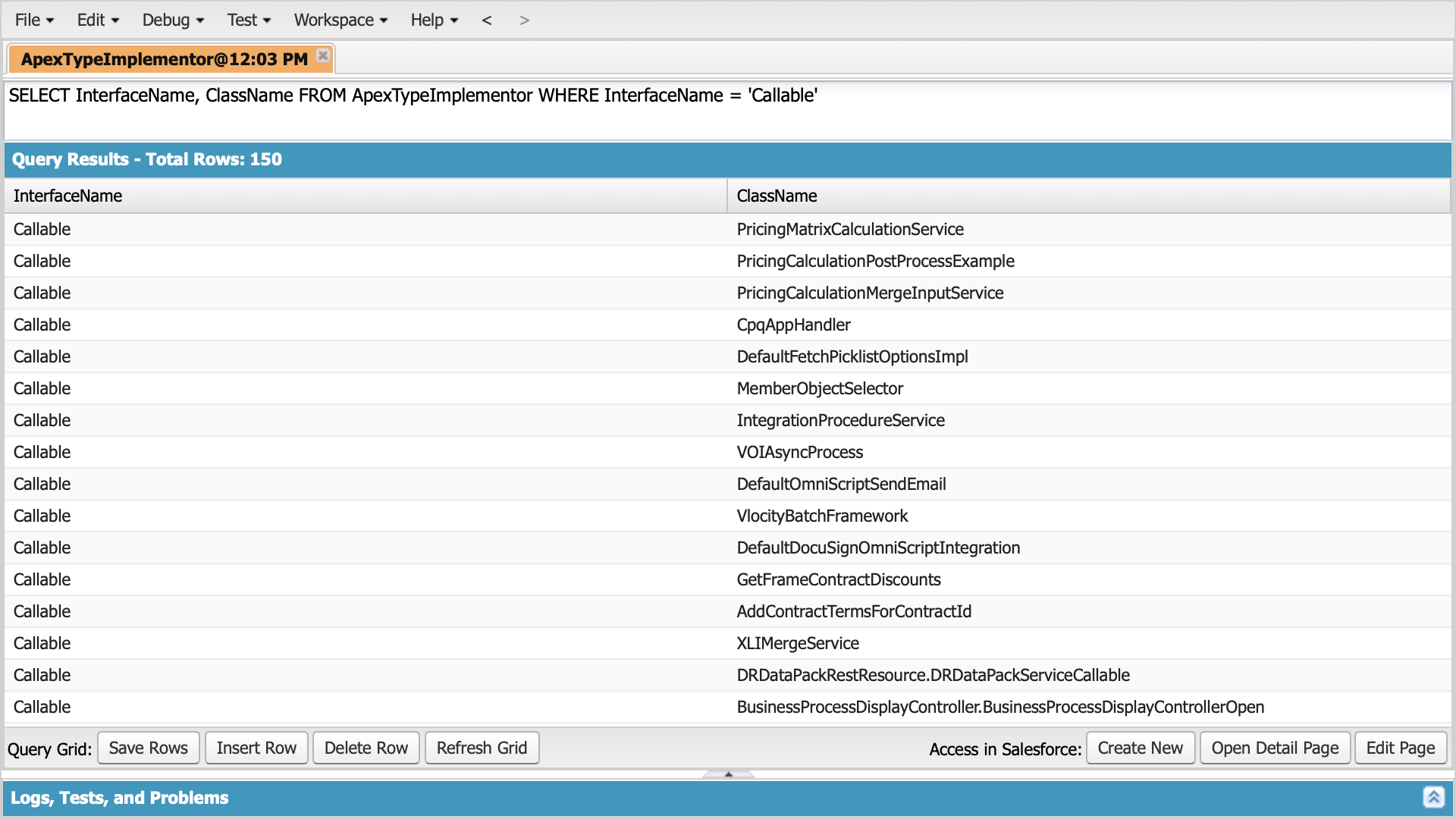
This Apex class (which implements Callable) runs any report with dynamic filter parameters and produces the Fact Map. See the Salesforce docs for an explanation of the return structure: Reports and Dashboards - The Fact Map.
global class ReportRunner implements Callable
{
    global Object call(String reportId, Map filters)
    {
        // describe report
        Reports.ReportMetadata meta;
        meta = Reports.ReportManager.describeReport(reportId).getReportMetadata();

        // add filter parameters
        for (String key : filters.keySet())
        {
            Integer i = Integer.valueOf(key);
            String value = (String)filters.get(key);
            meta.getReportFilters()[i].setValue(value);
        }

        // run and return with details
        return Reports.ReportManager.runReport(reportId, meta, true);
    }
}
Script-Call supports both local and managed Apex classes, provided they implement the callable interface.