Guide - Logs, errors, outputs
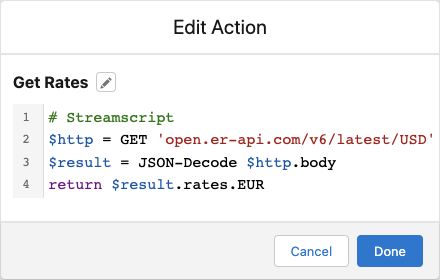 Streamscript users have access to three types of output:
- Errors
- Logs
- Returned values
We'll modify the script below to show an example of each type.
1. Errors
An unhandled script error (meaning an error from logic not wrapped in try ... catch) halts the flow. Error details such as the line number, message, and context are shown in the right panel.
In the scenario below, the script calls out to an exchange rate service.
# Streamscript
$http = GET 'https://tryitapi.com/rates' # fails without remote site setting
$result = JSON-Decode $http.body
return $result.rates.EUR
No remote site setting for https://tryitapi.com/rates has been set, so the flow will halt. Details of the error are shown in the flow builder. In a screen flow, the error will be written to the right of the Debug Details. In an autolaunched flow, the error will be written to the right of the Flow Builder.
Screen flow errors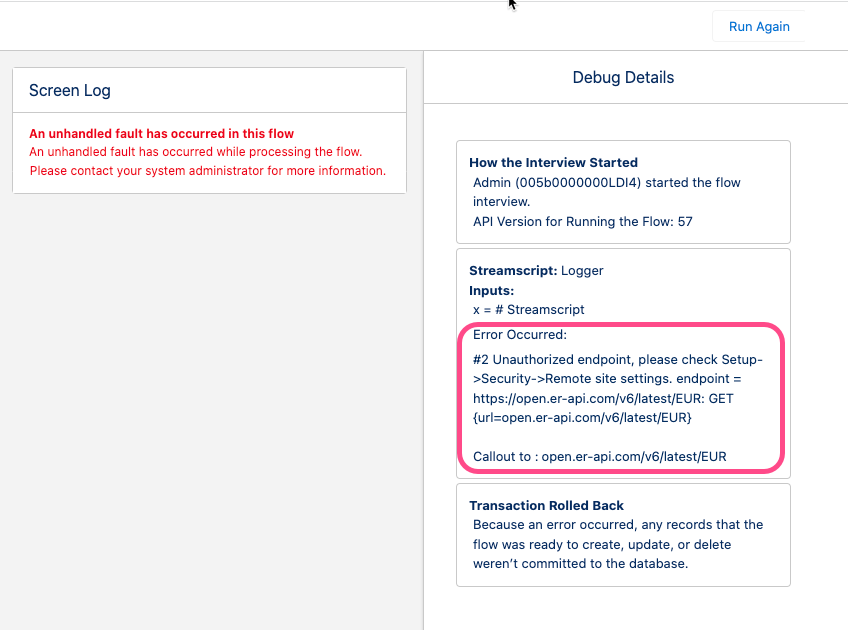 |
Other flow errors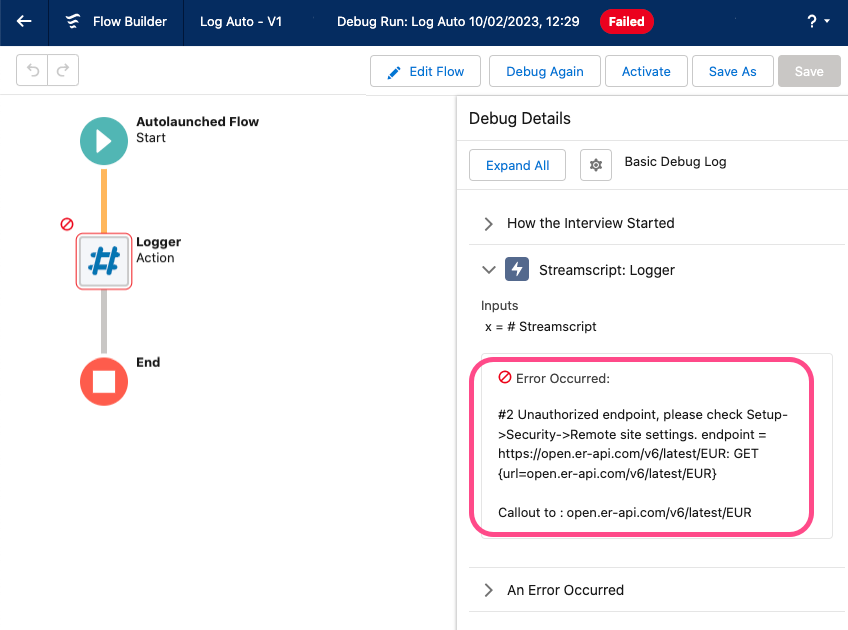 |
2. Logs
Inspect specific values mid script to aid with development by using the Log command as highlighted below:
# Streamscript
$Http = GET 'https://tryitapi.com/rates'
Log `Callout result: $Http.status`
$result = JSON-Decode $Http.body
return $result.rates.EUR
Screen flow logs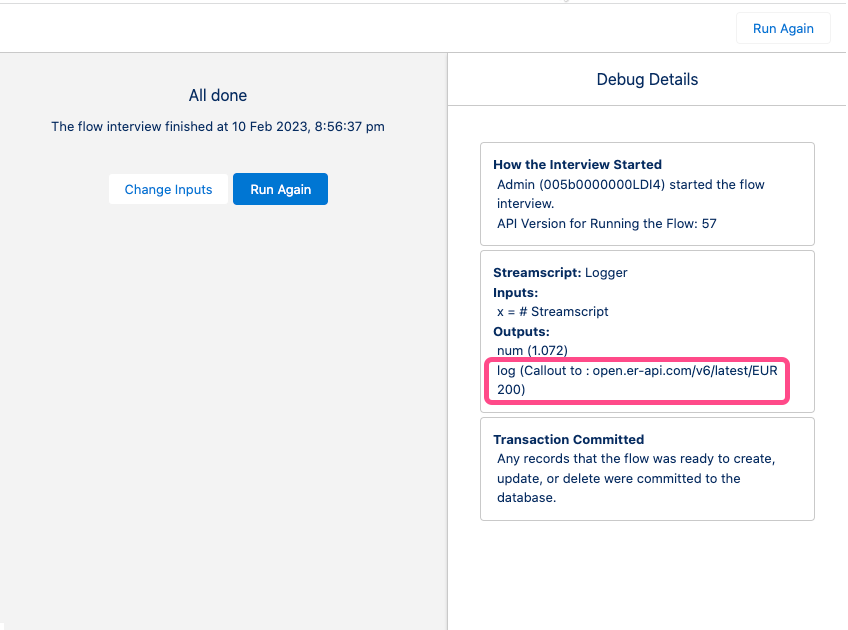 |
Other flow logs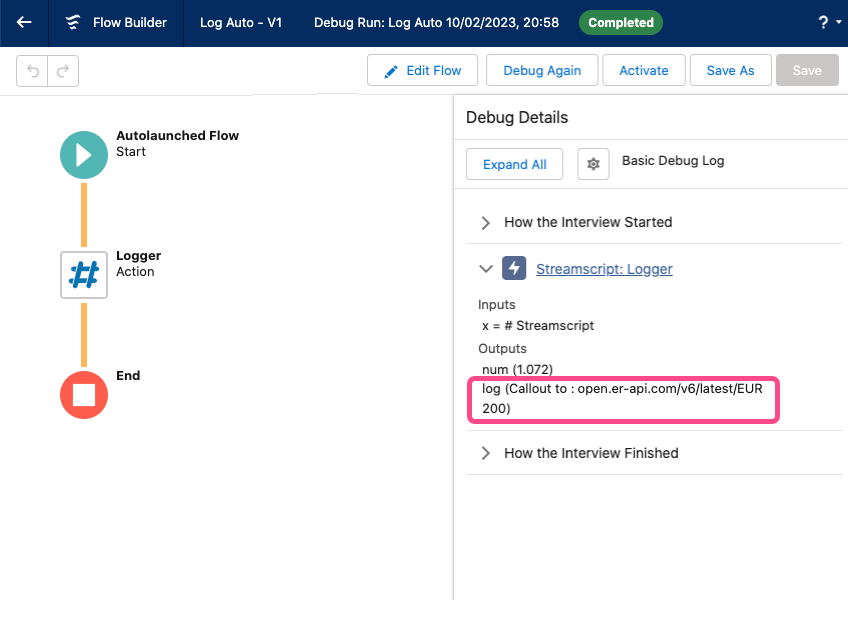 |
Everything logged in any Streamscript action is also available to the next step using the 'log' output. Log is a text value and each item is separated by a new line.
3. Returned output
Any value returned from a script will appear in the Debug Details. For example, this exchange rate logic may be modified to return the entire $result instead of just the USD rate:
# Streamscript
$http = GET 'https://tryitapi.com/rates'
$result = JSON-Decode $http.body
return $result
No need to specify the returned output type - Streamscript will automatically assign a number to the num output variable, a record to the record variable and so on.
Screen flow returns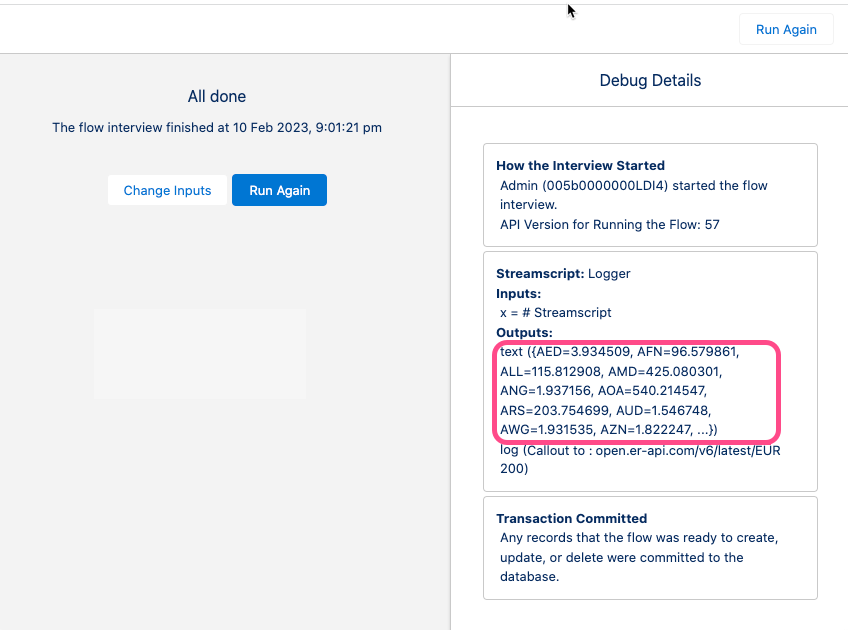 |
Other flow returns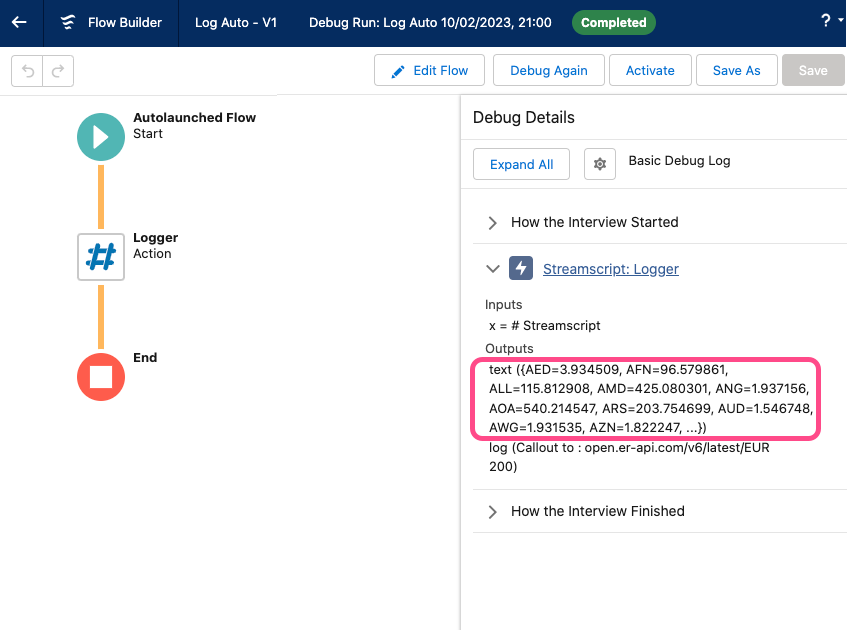 |
In summary: users have access to logs, errors, and returns in the Flow Builder. When running a script in flow, any error and its line number can be seen in the Debug Details panel.